
HOW IT WORKS
FROM LEASE FILE TO APPROVED DATA.
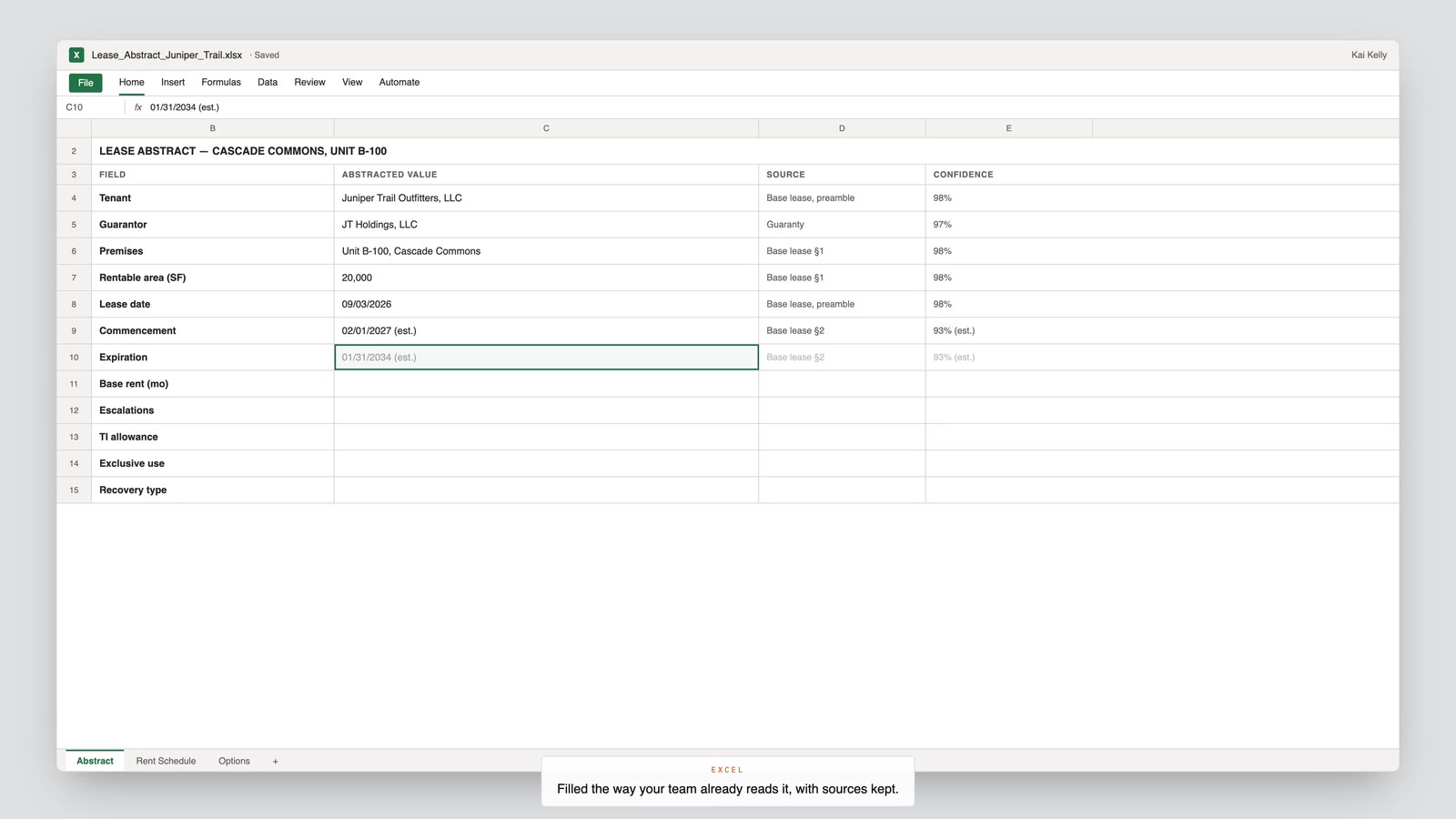
Ellie extracts fields against your template with source citations. Your team reviews, corrects and approves the data. After approval, export it to Excel or CSV, ready to load into Yardi or MRI, or send it to Fabric or Snowflake.
01 Intake
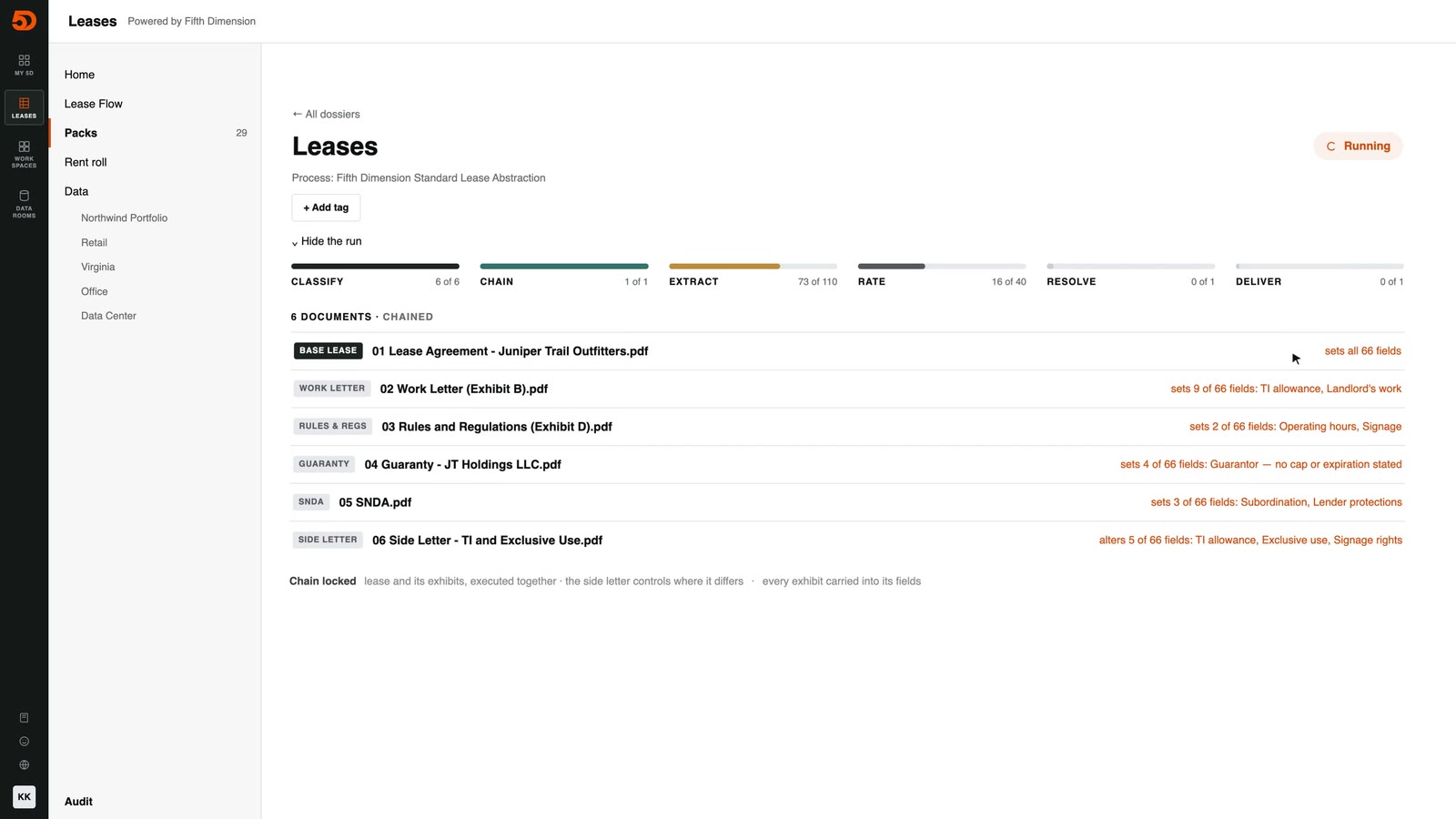
Add each lease file: the original lease with its amendments, side letters, assignments and estoppels. Ellie connects the file’s document history, and missing documents stay visible.
02 Review
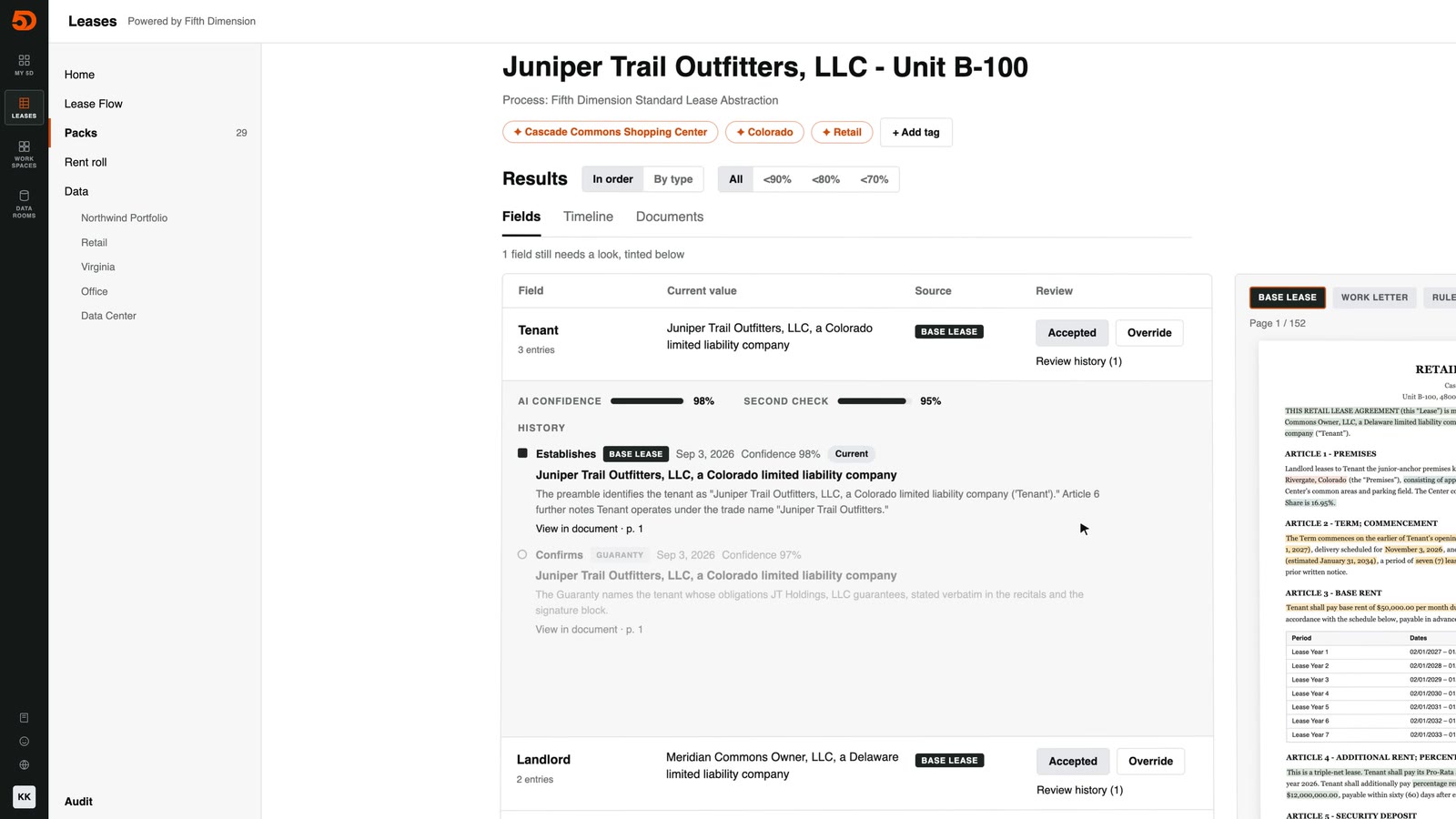
Ellie extracts fields against your template, each with a source citation and a confidence rating. Accept high-confidence fields in bulk and spend review time on the exceptions, beside their source documents.
03 Audit trail
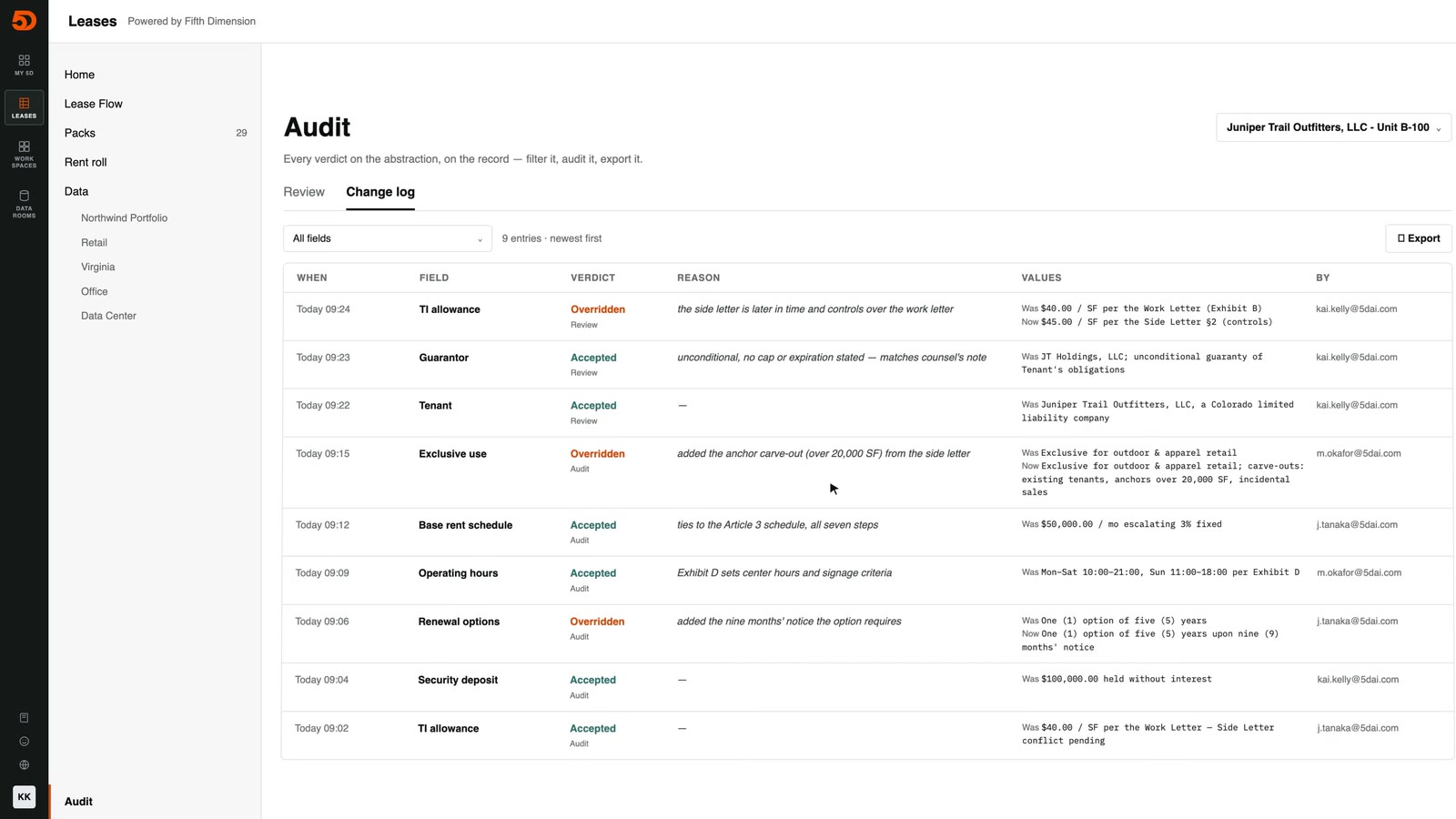
Your team corrects fields and approves the data. Every change is kept in an audit trail, and conflicting terms stay visible until someone resolves them.
04 Rent roll
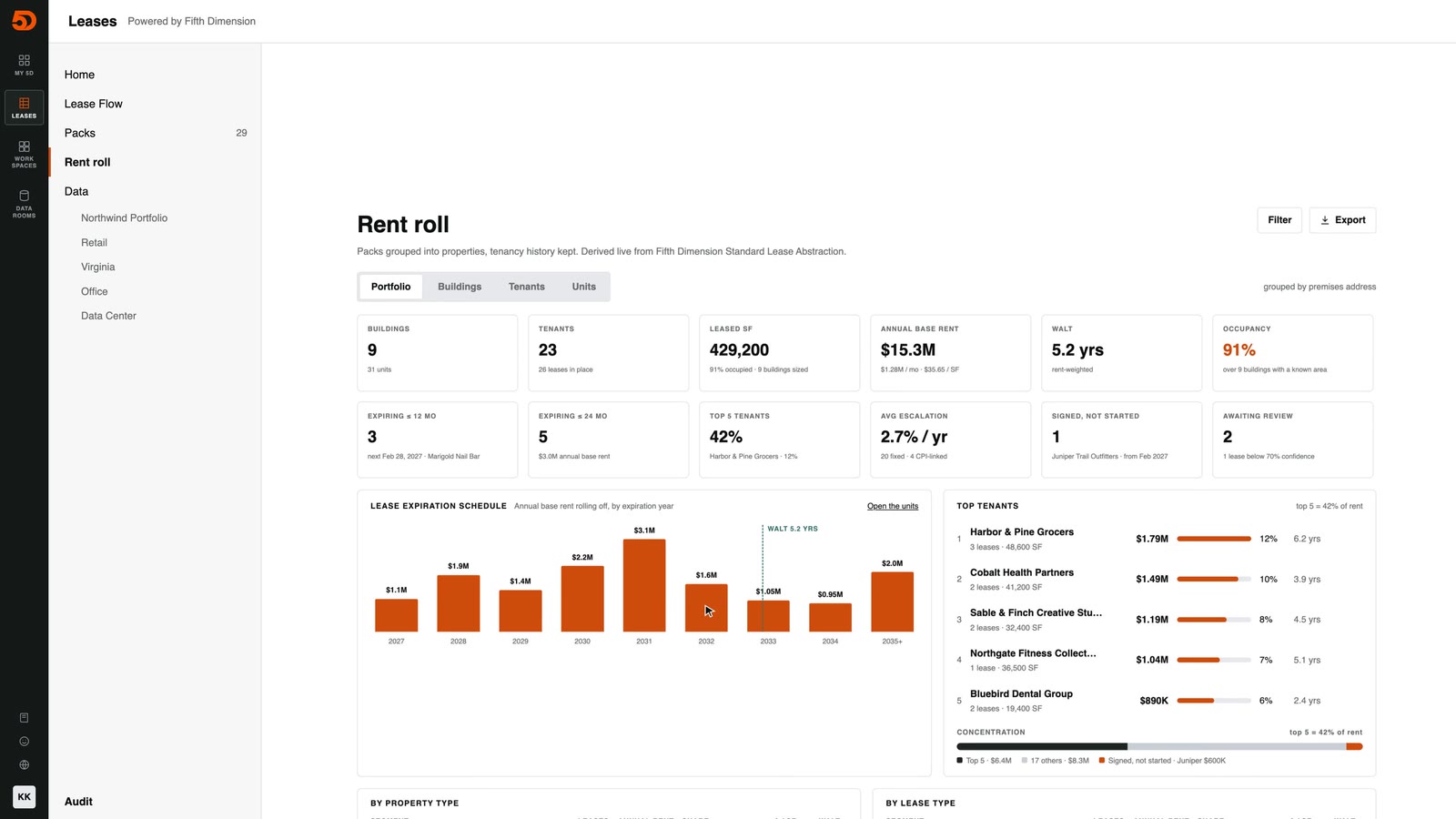
Approved lease data rolls up into a lease-backed rent roll you can tie out against Yardi or MRI. Nothing reaches it without your team’s approval.
05 Export
Export the rent roll and portfolio data to Excel or CSV, ready to load into Yardi or MRI, or send it to Fabric or Snowflake.
Book a 20-minute walkthrough.
Thanks. We’ll contact you within one business day to pick a time.
The walkthrough runs on a sample lease file, so there’s nothing to prepare.